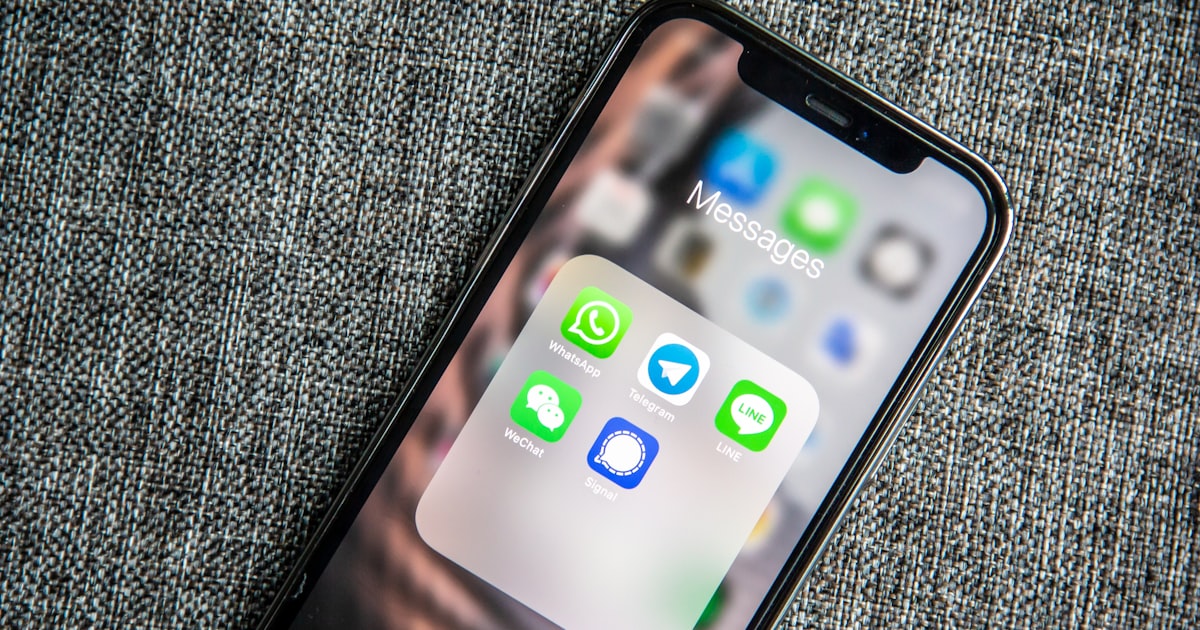
WhatsApp for Business in South Africa: Everything You Need to Know in 2026
The definitive guide to using WhatsApp for business in South Africa. Setup, features, API vs app, automation, costs, and how SA businesses are using it to sell and support customers.
96% of South African Smartphone Users Are Already on WhatsApp. Most Businesses Still Treat It Like a Personal Chat.
A bakery in Pretoria takes cake orders via WhatsApp voice notes. A panel beater in Benoni sends quotes as photos of handwritten estimates. A recruitment agency in Sandton has 14,000 unread messages across three phones.
They're all "using WhatsApp for business." None of them are using it well.
The gap between how South African consumers use WhatsApp and how businesses use it is enormous. Customers expect instant replies, catalogues they can browse, and the ability to book or buy without leaving the app. Most businesses offer none of that.
This guide covers what's actually available, what it costs, and when you need to upgrade from the free app to something more powerful.
What Is the Difference Between WhatsApp Business App and WhatsApp Business API?
This is the single biggest point of confusion. Three products exist under the "WhatsApp Business" umbrella, and they serve very different purposes.
1. WhatsApp Business App (Free)
A free app you download from the App Store or Google Play. Designed for small businesses with one person handling messages.
What you get:
- Business profile (address, hours, description, website link)
- Catalogue (up to 500 products/services with photos and prices)
- Quick replies (saved responses to common questions)
- Labels (organise chats by status: new lead, pending payment, completed)
- Broadcast lists (send one message to up to 256 contacts at once)
- Greeting messages and away messages (auto-replies)
Limitations:
- One phone number, one device (or up to 4 linked devices)
- Broadcast lists max out at 256 recipients
- No integration with CRM, booking systems, or payment platforms
- No chatbot automation
- Messages must be sent manually or via basic auto-reply
Good for: Solo operators, micro-businesses, side hustles with fewer than 50 customer conversations per day.
2. WhatsApp Business API (via a BSP)
The API isn't an app. It's a programmable interface that connects WhatsApp to your business systems through a Business Solution Provider (BSP) like 360dialog, Twilio, or MessageBird.
What you get:
- Unlimited agents on one WhatsApp number (team inbox)
- Integration with any CRM, helpdesk, or e-commerce platform
- Template messages for outbound marketing (requires Meta approval)
- Automated workflows and routing
- Verified green tick badge (once approved by Meta)
- Analytics and reporting
Costs:
- BSP platform fee: R500 to R3,000/month
- Per-conversation charge from Meta: marketing conversations R0.70, utility conversations R0.30, service conversations free for 1,000/month
- Setup: R0 to R5,000 depending on complexity
Good for: Businesses handling 50+ conversations per day, teams of 2+ agents, anyone needing integrations or approved outbound messaging.
3. WhatsApp Business API with AI Chatbot
Same API infrastructure, but with an AI layer that handles conversations automatically. The chatbot answers questions, qualifies leads, books appointments, processes orders, and escalates complex issues to a human.
What you get (on top of standard API features):
- 24/7 automated responses (no staff needed for routine queries)
- Natural language understanding (handles spelling mistakes, slang, voice notes)
- Multi-language support (English, Afrikaans, isiZulu, isiXhosa, and more)
- Lead qualification and routing
- Booking and ordering without human intervention
Costs:
- R5,000 to R10,000/month for platform + AI
- Per-conversation costs included or charged at R1.50 to R3 per conversation
Good for: Businesses wanting to scale without hiring more staff, after-hours coverage, high-volume enquiry handling.
Is WhatsApp Business Free in South Africa?
Yes and no. The app itself is free. But "free" has limits that bite quickly.
The WhatsApp Business App costs nothing to download and use. You can set up your profile, create a catalogue, and start chatting with customers today at zero cost. For a one-person business handling 10 to 20 customer messages per day, it's genuinely sufficient.
Here's the thing: it stops being free when your time has value.
If you're spending 3 hours per day manually replying to the same 5 questions ("What are your prices?", "Where are you located?", "Do you deliver?", "What's your availability?", "Can I see your menu?"), that's 3 hours you're not spending on billable work. At R500/hour, that's R1,500/day in lost productive time. R30,000/month.
The free app also caps broadcast lists at 256 contacts. If you have 1,000 customers and want to announce a sale, you need to create 4 separate broadcast lists and send the message 4 times. Manually. And recipients must have your number saved to receive broadcasts. Most don't.
So while the app is free, the real question is: what's your time worth?
Setting Up WhatsApp Business: Step by Step
For the free app (takes 15 minutes):
- Download WhatsApp Business from your app store (separate from regular WhatsApp)
- Register with your business phone number (use a dedicated business line, not your personal number)
- Complete your profile: business name, category, description, address, hours, email, website
- Add your catalogue: upload product/service photos with names, prices, and descriptions
- Set up quick replies: create shortcuts for your 5 most common responses (type "/" to access them)
- Enable greeting message: auto-sends to first-time contacts or after 14 days of inactivity
- Set away message: auto-responds outside business hours with your schedule
- Create labels: New Lead, Quote Sent, Awaiting Payment, Completed (customise to your workflow)
That's it. You're live. Takes 15 minutes and costs nothing.
For the API (takes 1 to 5 business days):
- Choose a BSP: 360dialog, Twilio, or a local provider
- Verify your business: Facebook Business Manager verification required (submit business documents)
- Register your number: must be a number not currently on WhatsApp
- Create message templates: outbound messages need Meta approval (24 to 48 hours)
- Connect your systems: CRM, helpdesk, chatbot platform
- Test: send and receive test messages before going live
Worth noting: the API approval process has become faster in 2026. Most businesses get approved within 2 to 3 business days if their Facebook Business Manager is already verified. Our guide on WhatsApp Business API approval walks through the entire process.
When Do You Need the API?
Upgrade from the free app when any of these become true:
- You have more than one person handling WhatsApp messages
- You want to send promotional messages to more than 256 people
- You need WhatsApp connected to your CRM or booking system
- You want automated responses beyond basic greeting/away messages
- You need the green verified badge for credibility
- You're missing messages because nobody checks the phone on weekends
If three or more of those apply, the free app is costing you more than the API would.
SA-Specific Features That Matter
Voice notes. South Africans love voice notes. Your business needs a strategy for handling them. The free app requires you to listen and respond manually. AI chatbots can now transcribe voice notes and respond appropriately. This matters more in SA than in markets where voice notes are less common.
Multiple languages. South Africa has 11 official languages. In practice, most business communication happens in English, but customer messages arrive in Afrikaans, isiZulu, isiXhosa, and mixed-language (code-switching). An AI chatbot that handles multilingual messages has a genuine advantage over manual responses that require bilingual staff.
Load shedding hours. Set your away messages to match your area's load shedding schedule if you can't respond during outages. Better yet, an AI chatbot on the API doesn't need electricity at your premises. It runs on cloud servers and responds 24/7 regardless of your local power situation.
Data costs. WhatsApp uses minimal data compared to email or web browsing. A full day of WhatsApp messaging uses roughly 20 to 50MB. This matters in SA where data is expensive. Your customers can reach you on WhatsApp even when they've run out of general data (some networks zero-rate WhatsApp).
Real Use Cases by Industry
Restaurants: Menu sharing via catalogue, table bookings via auto-reply, order taking for collection/delivery. A pizza shop in Fourways processes 40+ orders per evening through WhatsApp without a single phone call.
Professional services (lawyers, accountants, consultants): Initial enquiry qualification, document collection, appointment scheduling. The chatbot asks what type of matter, gets basic details, and books a consultation slot.
E-commerce: Order status updates, delivery tracking, returns processing. Customers ask "where's my order?" and get an instant answer pulled from the logistics system.
Healthcare: Appointment reminders, prescription refill requests, after-hours triage. A GP practice in Centurion reduced no-shows by 60% after implementing WhatsApp appointment reminders.
Real estate: Property enquiry qualification, viewing bookings, document sharing. Agents spend less time on tyre-kickers because the chatbot qualifies budget and requirements before booking a viewing.
Explore more industry-specific use cases on our industries page, where we break down how AI chatbots work in each sector.
POPIA and WhatsApp: What You Need to Know
The Protection of Personal Information Act applies to WhatsApp business communication. Key requirements:
- Consent: You need explicit opt-in before sending marketing messages. A customer messaging you first counts as consent for that conversation, but not for future promotional broadcasts.
- Data storage: Messages stored on personal devices have different obligations than messages stored in cloud CRM systems. Know where your data lives.
- Right to opt out: Every broadcast must include an easy way to unsubscribe. "Reply STOP" is the standard.
- Data minimisation: Only collect information you actually need. Your chatbot shouldn't ask for ID numbers if all you need is a name and email.
The Wireless Application Service Providers' Association (WASPA) provides guidelines for commercial messaging in South Africa, including WhatsApp. Their code of conduct is worth reviewing if you plan to do outbound messaging at scale.
Meta's official WhatsApp Business page has the latest on API pricing, features, and policy requirements. Pricing updates happen quarterly, so check directly for current per-conversation rates.
Adding AI to Your WhatsApp: The Automation Layer
The progression looks like this:
Level 1: Free app with auto-replies. Greeting message, away message, quick replies. Saves 30 minutes per day. Free.
Level 2: API with rule-based automation. If customer says X, respond with Y. Handles FAQs and basic routing. Saves 2 to 3 hours per day. R1,000 to R3,000/month.
Level 3: API with AI chatbot. Understands natural language, handles complex conversations, learns your business, qualifies leads, books appointments, processes orders. Handles 80% of conversations without human intervention. R5,000 to R10,000/month.
Most businesses jump from Level 1 to Level 3 because Level 2's rigid rule-based systems frustrate customers who don't phrase questions exactly as expected.
Our guide on automating WhatsApp replies covers the technical setup in more detail.
Costs Compared: Hiring vs Automation
A full-time customer service agent in South Africa costs R8,000 to R15,000/month (salary alone, before UIF, leave, training, management time). They work 8 hours per day, 5 days per week. They take lunch breaks, sick days, and annual leave.
An AI chatbot on WhatsApp costs R5,000 to R10,000/month. It works 24 hours per day, 7 days per week. It never takes leave. It responds in 2 seconds, not 2 minutes. It handles 50 simultaneous conversations without breaking a sweat.
The maths speaks for itself. But this isn't about replacing people. It's about handling the routine 80% automatically so your team can focus on the complex 20% that actually needs a human touch.
Getting Started Today
If you're not using WhatsApp Business at all, start with the free app today. Fifteen minutes of setup. Zero cost. Immediate improvement in how professional your business appears to customers.
If you're already on the free app and hitting its limits, it's time to explore the API. The jump from free app to AI-powered automation is where the real transformation happens.
Raimond offers WhatsApp AI chatbots built specifically for South African businesses, with local language support, POPIA compliance, and pricing in rands. Create your account to see how it works, or visit our SEO services page to learn how we help businesses get found on Google first, then convert visitors through WhatsApp.
Explore more from Raimond
Get found on Google. Convert with AI.
Free SEO audit of your website — we'll show you exactly where you stand and how we can get you ranking.
Related articles
Ecommerce in South Africa: The 2026 Guide to Selling Online
How to start and grow an ecommerce business in South Africa. Platforms, payments, shipping, legal requirements, and real costs in rands.
GuideLead Generation in South Africa: A Practical Guide for Business Owners in 2026
How to generate leads in South Africa using SEO, WhatsApp, Google Ads, and referrals. Real costs per lead, POPIA rules, and what works in 2026.
GuideEmail Marketing in South Africa vs WhatsApp: Which Wins in 2026?
Email marketing vs WhatsApp for South African businesses. Real open rates, costs in rands, POPIA rules, and why smart SA businesses now combine both.